
This month’s Ready Room release adds one significant enhancement: the ability to go to lunch!
Mobile Phone Support
A key aspect of the Ready Room user persona is that they will use a laptop, not a smartphone, to participate in an inspection. Accordingly, the Ready Room UI was designed for and tested against 13 inch and larger screens only. And in the five years that Ready Room has been commercially available not a single customer has asked for better mobile phone support.
Until now.
It seems that while it is indeed the case that Ready Room users are glued to their laptops, a few of them have been known to (gasp!) go to lunch—without their computer! And when such a user receives a Ready Room notification, they have also been known to put down their egg salad sandwich and follow the link inside. With our latest release, users such as these no longer have to settle for a substandard experience. When accessing a request from a mobile device, Ready Room users are now greeted with a clear and effective user interface, one specifically designed for the mobile phone form factor.
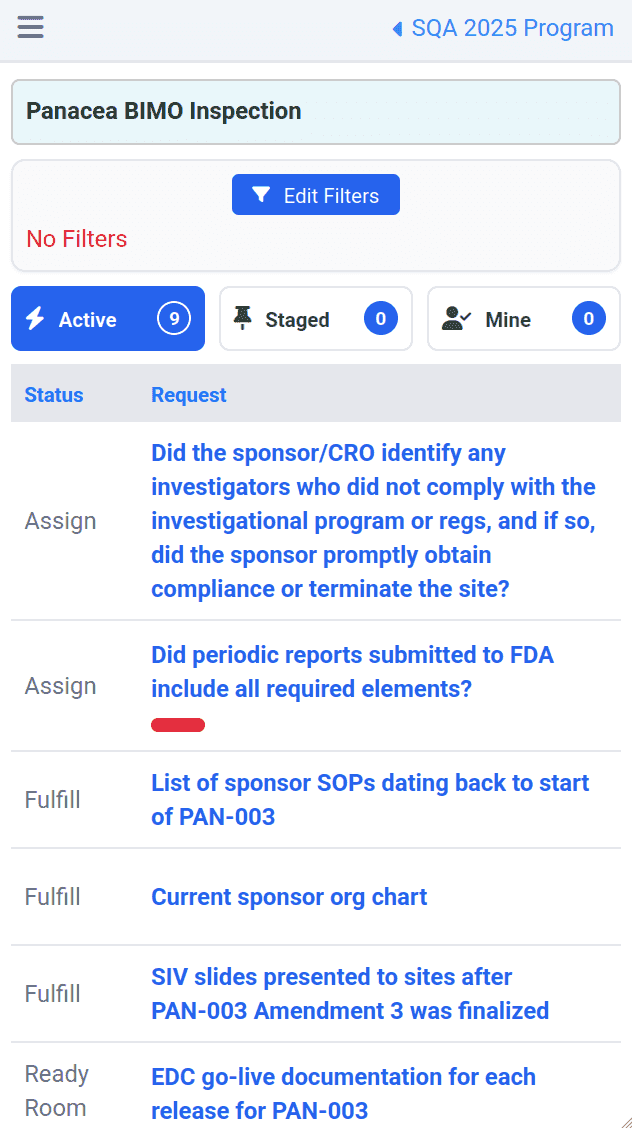 Viewing an Inspection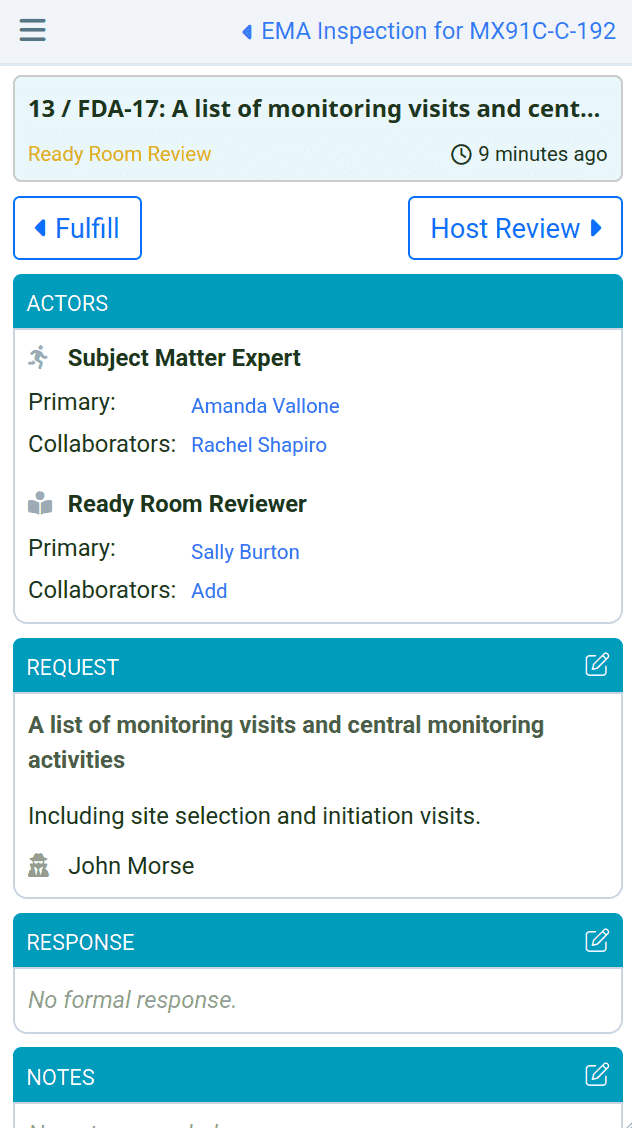
It is extremely important to realize that the Ready Room mobile UI is specifically designed to address the use case of a team member being temporarily away from their laptop and needing to review or respond to some aspect of an inspection. As such, no effort has been made to make certain other functionality mobile friendly. For instance, users can read scribe notes, but not modify them; they can respond to requests, but not create them. Likewise, inspection configuration, storyboards, and the inspector view, among other components, are best accessed from a PC.
In addition, we have made a number of simplifying assumptions as to what information is visible and how it is presented. For instance, the inspection view is only available as a table; there’s no workflow board and no drag and drop. Similarly, only the Active, Staged, and Mine tabs are available, neither can you change your persona or visit the analytics screen.
Despite that rather large caveat, team members can:
- Navigate through programs and inspections.
- Access an inspection and view, filter, and sort the requests.
- Access and respond to requests, including viewing and uploading attachments, modifying assignees, leaving comments, and more.
- Fully participate in multiple chat conversations.
- View all scribe notes.
All while maintaining Ready Room's dynamic update functionality.
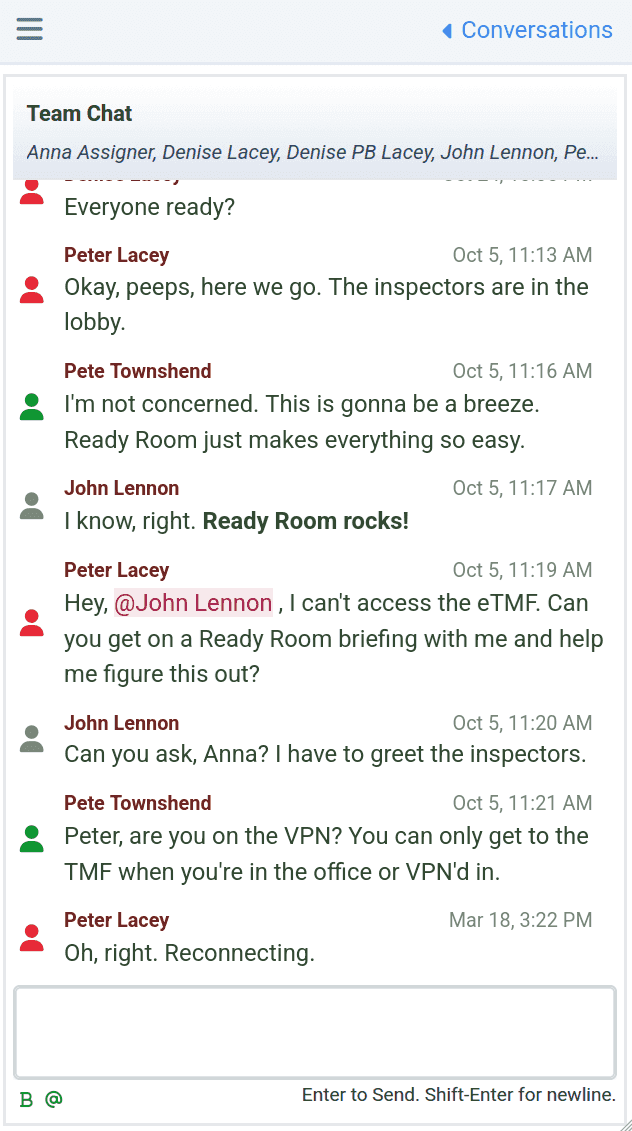
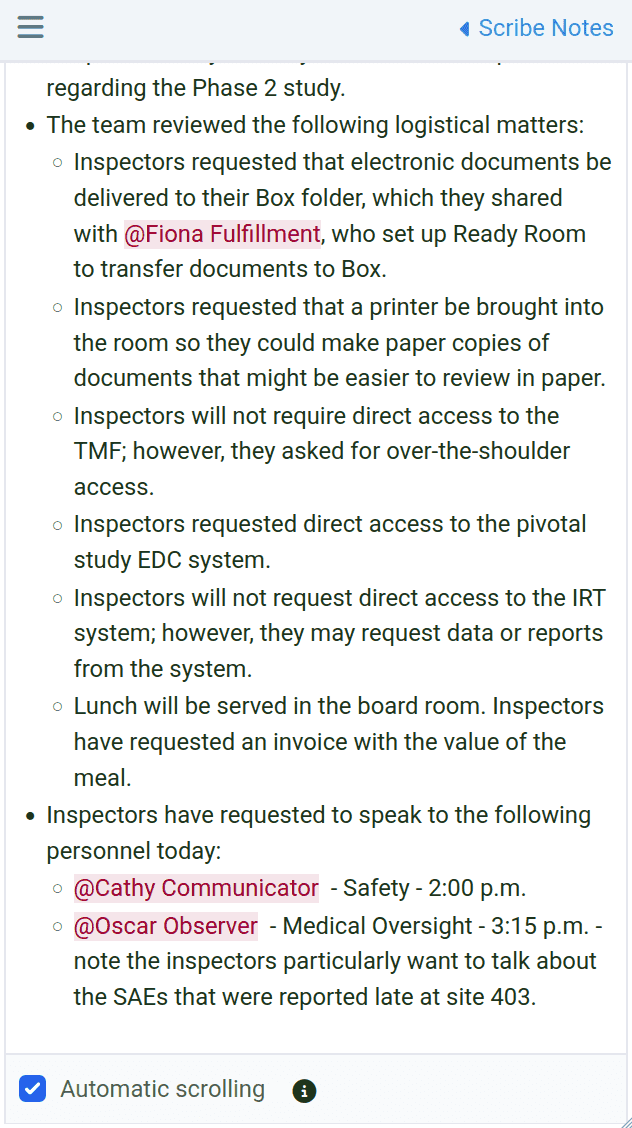
We are very happy with the look and feel of Ready Room’s mobile support, and we believe you will be too.
Please don't access Ready Room while driving.
Additional Enhancements
- When copying a request, inspectors will now be included along with fulfillers and reviewers.
- When creating an inspector, admins can now choose whether to activate the inspector's account automatically. For security purposes, it defaults to inactive.