There are two ready Room enhancements that customers and prospects have requested more than any other. One of them is the ability to add another step to the inspection workflow. Not just any step, mind you; it’s always the same step. Our users want another review column.
Today, we are delighted to ship support for a six-column workflow!
New Review Column
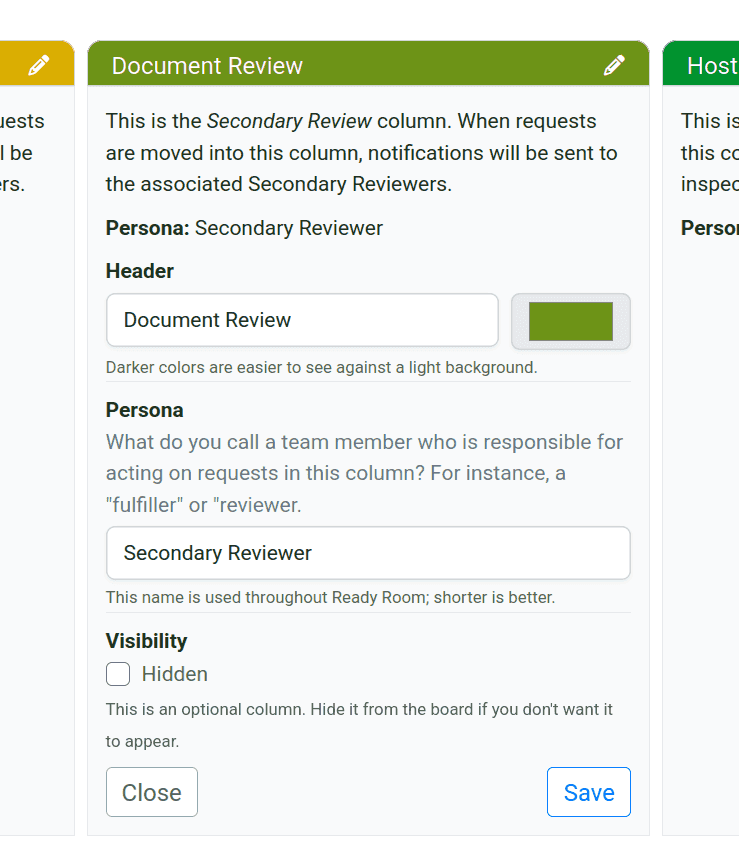
With the most recent release, all new inspections will default to having six stages (aka columns) in the workflow. The new column occupies the fourth stage of the workflow, sitting downstream of the Ready Room Review column. This allows customers to, for instance, focus the first review stage on content accuracy, i.e., does the response answer the inspector’s question, and focus the second review stage on content quality, i.e., is the response clear and well formatted.
By default, the new column is named “Secondary Review,” but like the other columns, the name and color can be changed. This new column can have primary and secondary contributors, just like the Ready Room Review column to its left. Below is a screenshot of a customized six-stage workflow.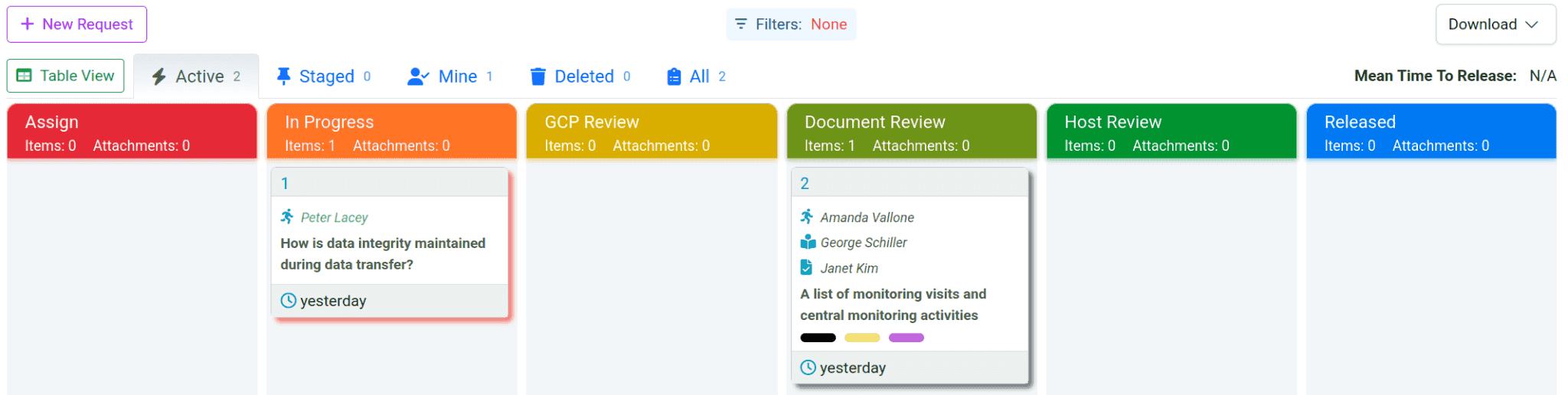
New Account Admin UI
Speaking of configuration interfaces, we have also refreshed the Account Administration user interface so that it’s consistent with the look and feel of the Inspection Configuration UI.
The “Admin” link in the navigation bar has been relabeled to “Account Settings,” and clicking it will open up the account-level settings in the updated UI.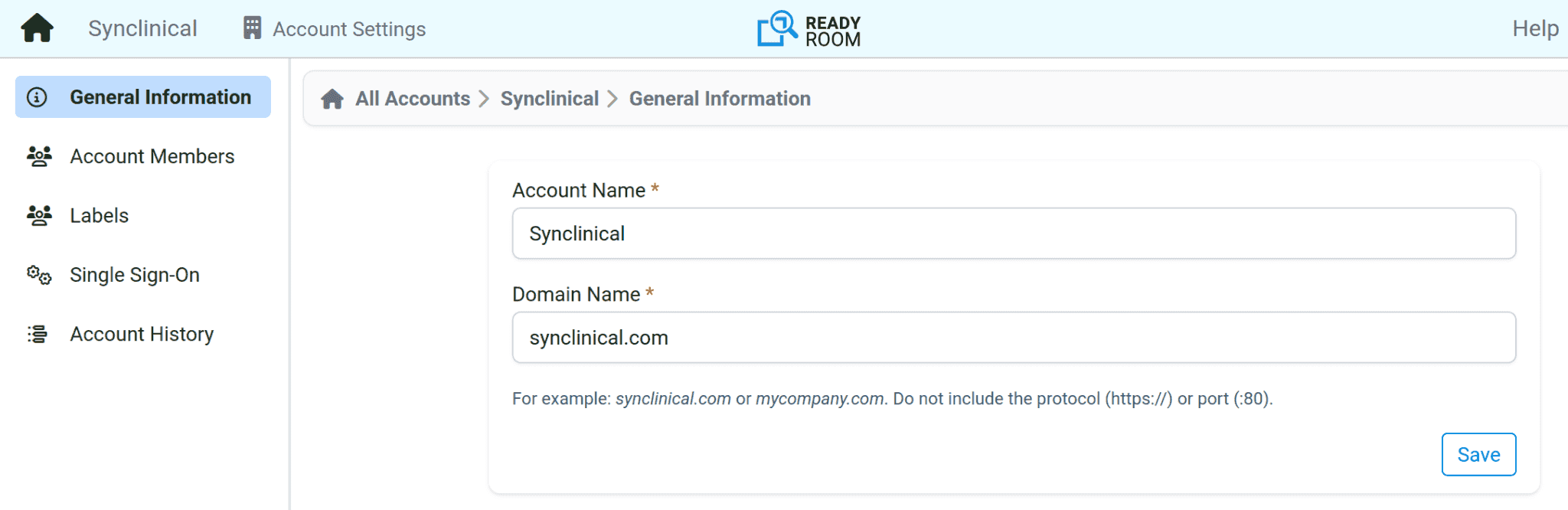
New Account-Level Audit Logs
The last major feature of this release (the "very notable exception" mentioned above) adds account-level audit logs. This release adds the ability to track events such as user logins, inspection creation, adding members to an inspection, changing inspection settings, and many more.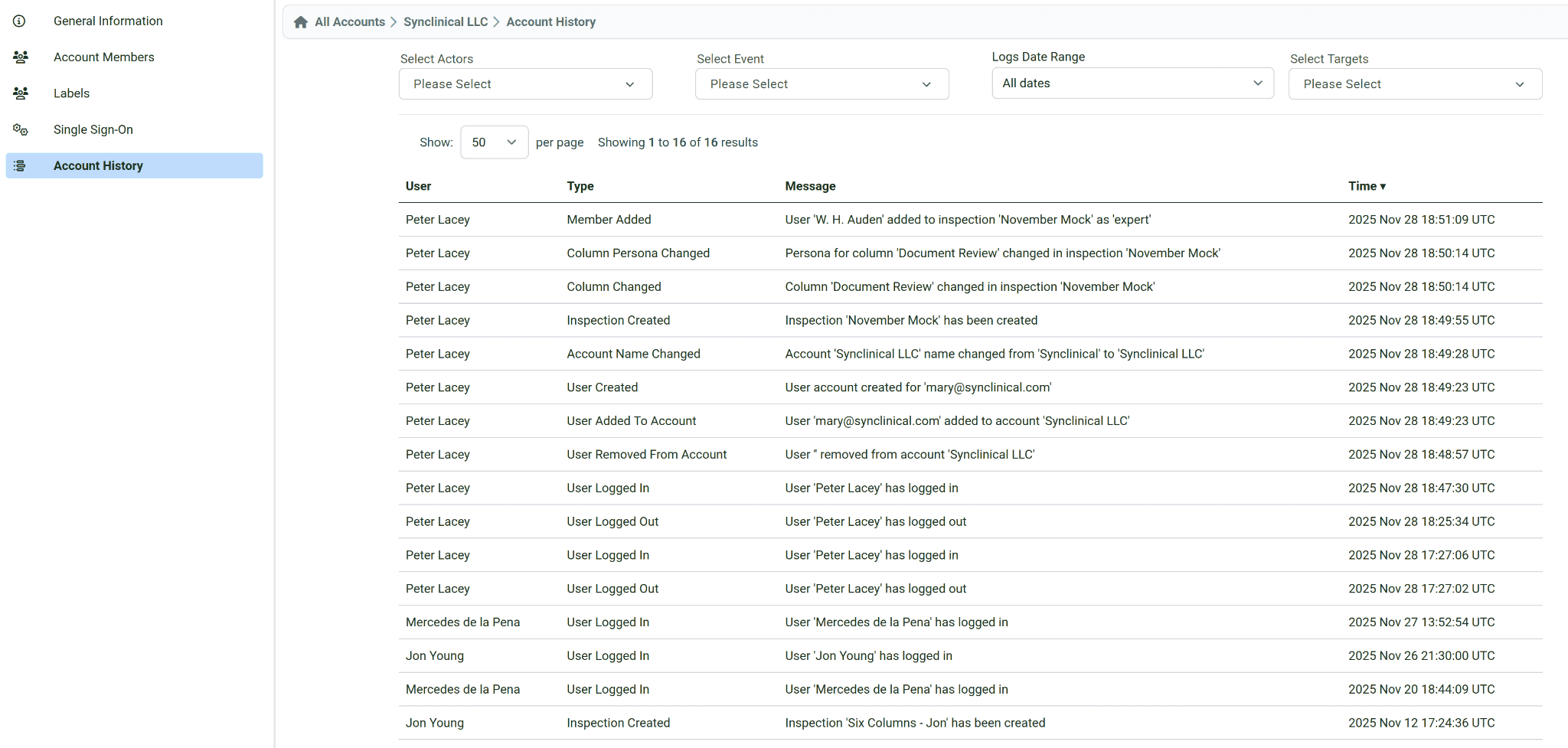
Please note that we do not yet track storyboard related events. We plan to deliver that in the first half of 2026.
Minor Changes
- The position of inspection request labels and notes have been swapped, with the more commonly used labels being moved towards the top and the less commonly used notes being moved further down.
- On really small screens the bottom of the persona switcher might get hidden by the scribe note viewer; this has been corrected.
- It was possible to use Azure AD for single sign-on even when SSO was not enabled. This has been corrected.
Coming Up
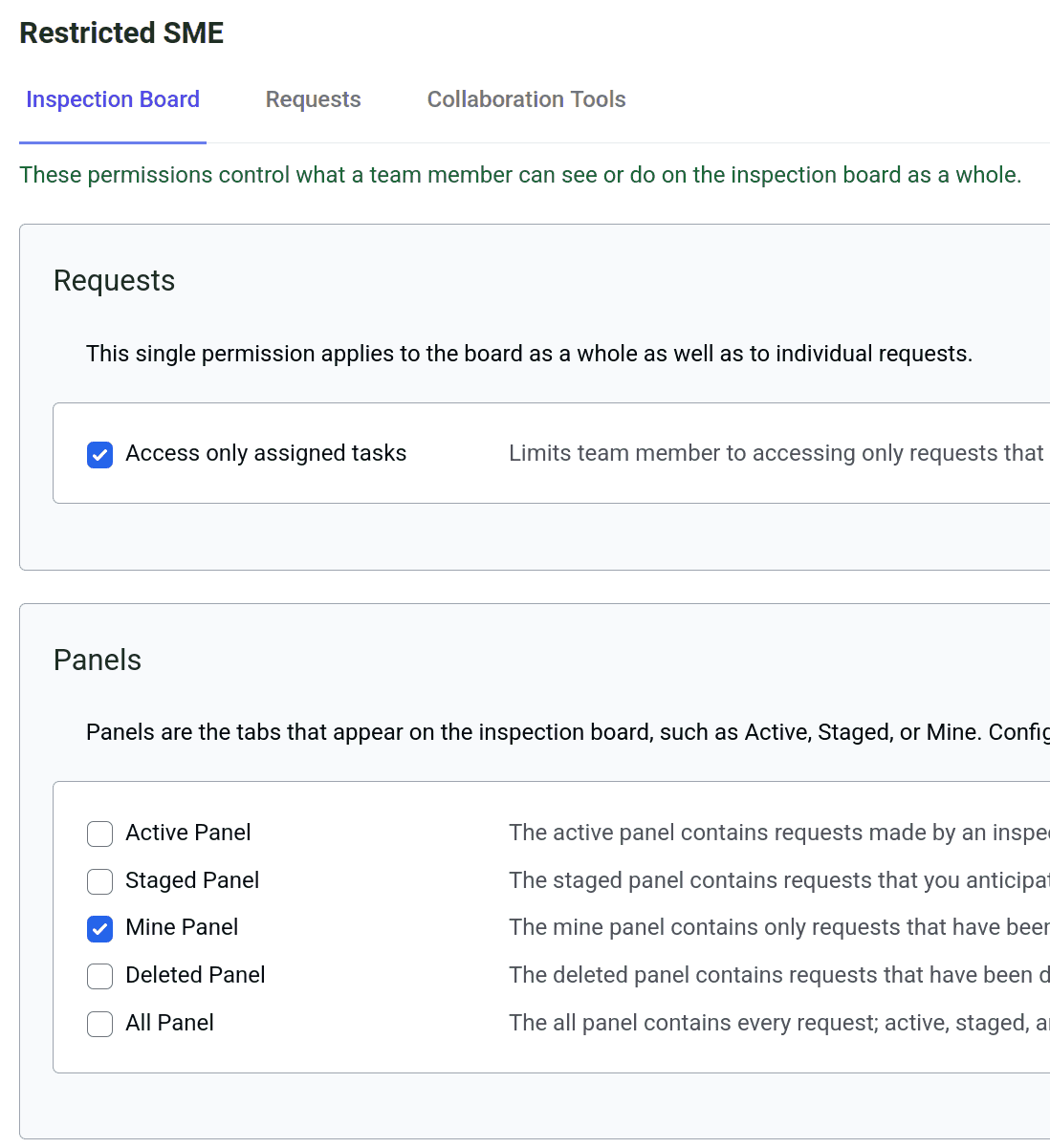
Finally, harking back to the beginning of this blog post, let me tell you what the other most requested enhancement is: custom authorization. That is, the ability for inspection administrators to customize what different team members can see and do within an inspection. We’re excited to announce that work in support of this feature is well underway, and we hope to deliver it as soon as January, 2026! In fact, here’s a little teaser: