
It’s Autumn and that means shorter days, decorative gourds, earth tones, and the October release of Ready Room. Possibly, the first of two. There’s no overriding theme to this release, but we’re certain you will appreciate these enhancements.
Automatic Scribe Note Summaries
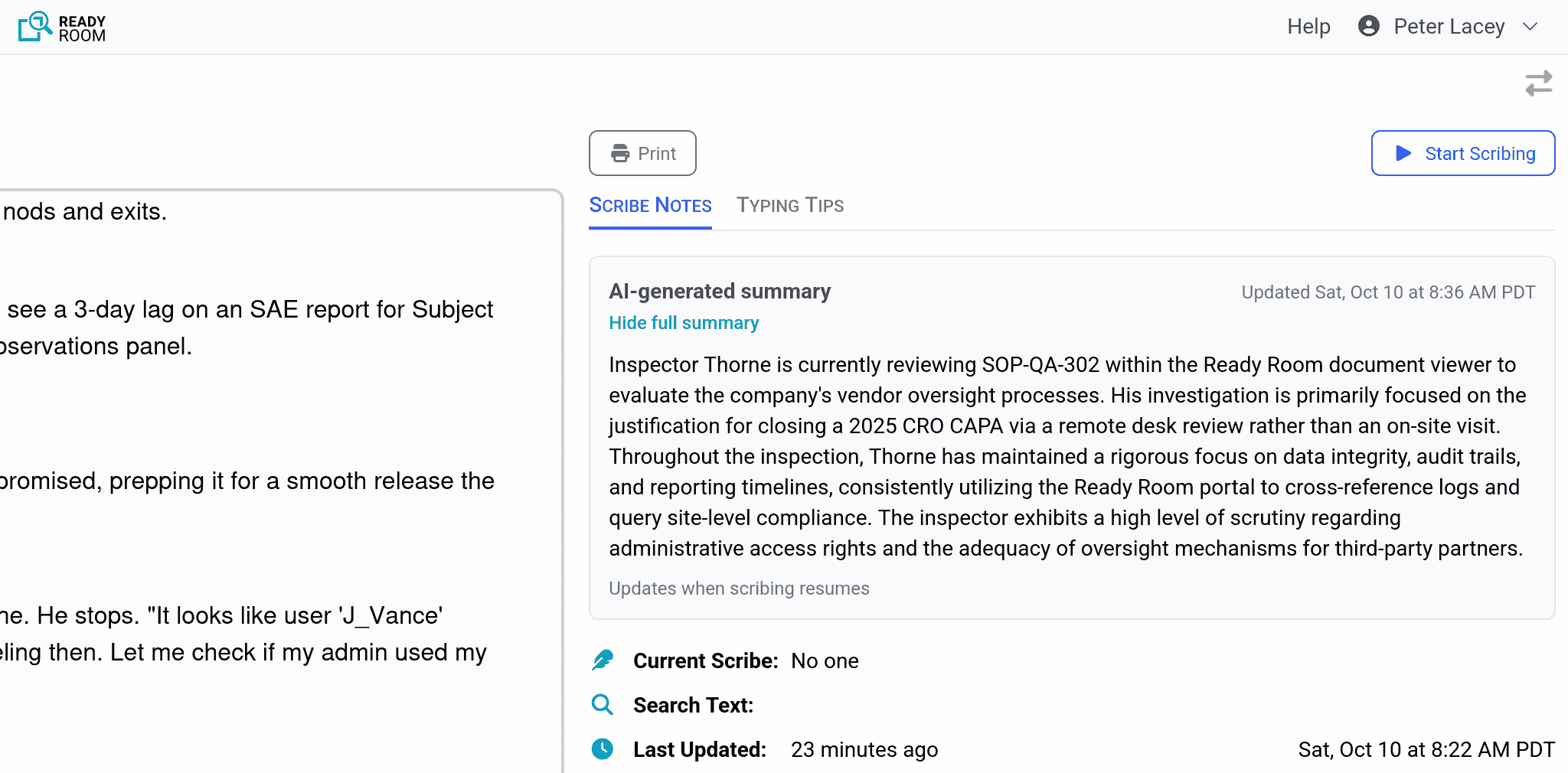
Have you ever been pulled into an inspection late in the day and found yourself a bit at sea? Or maybe you’ve been so focused on the trees that you’ve missed the woods. If so, Ready Room’s AI-generated scribe note summaries are just what you need.
Once enabled by an admin, The Scribe Note Summary feature adds a short paragraph next to each scribe note that tells a reader what they've missed. Now someone coming in cold to an inspection can see at a glance what the inspector is focused on and which themes keep recurring.
The summary is automatically regenerated every 15 minutes of active note taking. It is a viewer-facing feature. The person actively scribing does not see it.
Note, for this feature, we are using a Ready Room-managed instance of the Google Gemini 3.1 model. For this, we are utilizing the Gemini Enterprise Agent Platform. Google will not use any customer data, prompts, outputs, or agent interaction history to train or fine-tune any of its AI or machine learning models.
Merge Storyboards and Staged Requests Into Active Requests
You’ve all been there. An inspector asks for some information. The Communicator in the front room dutifully captures it as a new request. But the Assigner in the backroom recognizes the request as very similar to an existing storyboard. Before today, the way to handle that was to:
- Find the storyboard.
- Click the “Use in Inspection” button, creating a staged request with all attachments.
- Activate the staged request, possibly with only a subset of the attachments.
- Modify the new request title to match the request captured in the front room.
- Delete the front room request, leaving a gap in the system generated IDs.
- Delete the staged request.
All very tedious and error prone.
With the current release of Ready Room, the process becomes:
- Find the storyboard.
- Click the “Use in Inspection” button and select the current inspection and request.
- Merge selected users, labels, and attachments into the newly created request.
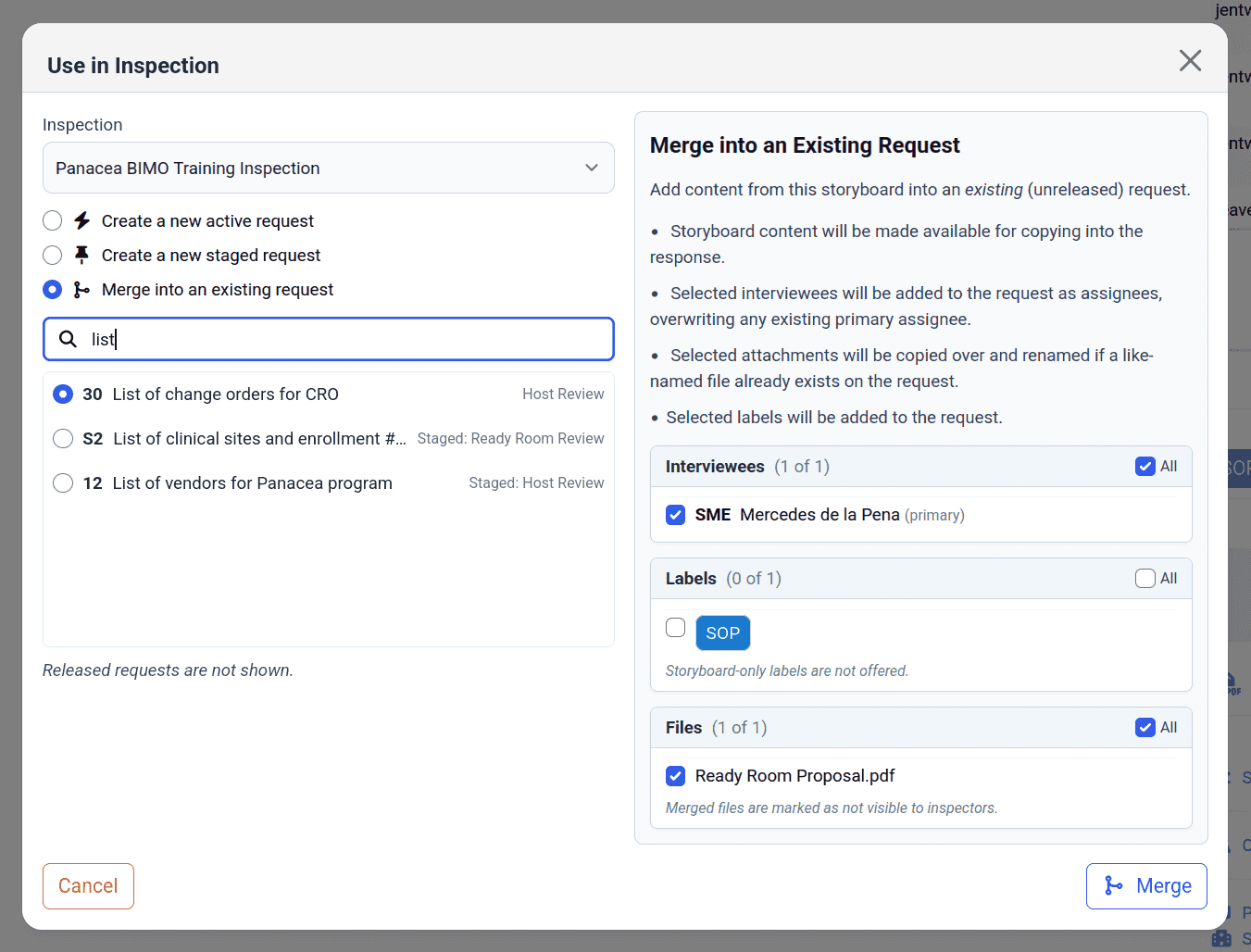
No staged requests. No duplicate requests. No manual edits. It’s a simple merge.
This also works for merging staged requests into active requests! Indeed, you can merge any request into any other (unreleased) request. And, yes, there’s still shortcuts for complete copies or activations.
Edit Comments
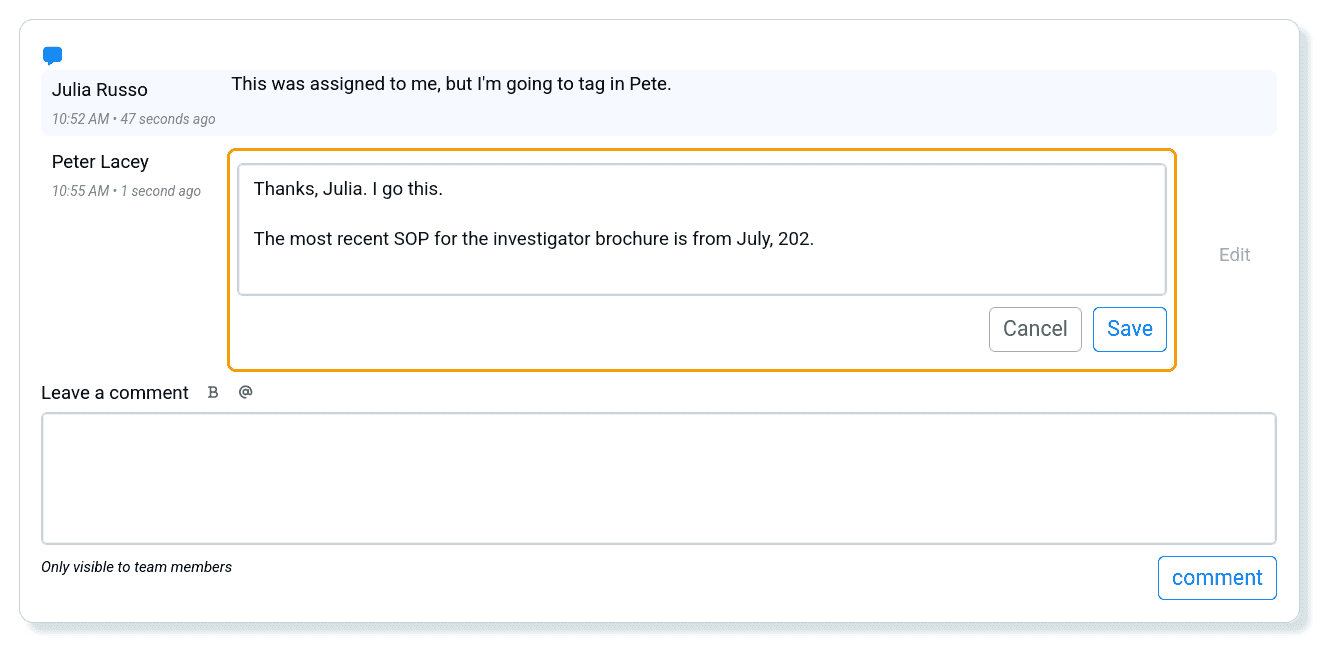
By popular demand, users can now edit their own comments. While this is convenient for adding clarity and correcting typos, users are cautioned against dramatically changing the meaning of a comment if there are already replies. Users cannot delete a comment or save an empty field.
Minor or Internal Updates
- We have updated the instructions for enabling SSO in anticipation of Ready Room becoming available in the Okta Integration Network.
- Shrinking your browser when viewing a request could cause the promote/demote buttons to slide under the collaboration tools pane. Now they collapse so as to be always visible.
- New inspectors are active by default.
The flood of CVEs continues unabated, but we remain on top of it. Our underlying language runtimes are now at the most recent versions and all external libraries are current. This effort to stay current is facilitated by a robust suite of over 4,500 automated tests that provide 82% code coverage.