
Say to the King the knowledge of the broil
As thou didst leave it.
Macbeth, Act 1, scene 2
Prelude
It’s Friday afternoon, five days into our inspection. The team continues to execute well. Examining the Ready Room board, I can see that most requests are being completed quickly, although a couple of thorny ones have been open for longer than I’d like. It’s a bit more challenging keeping up with the front rooms—plural! There’s three of them after all. And I think the scribes can type 100 words per minute. Then there’s the chat, and the comments, and the notifications, and now my boss’s boss wants to know “How goes the war?”
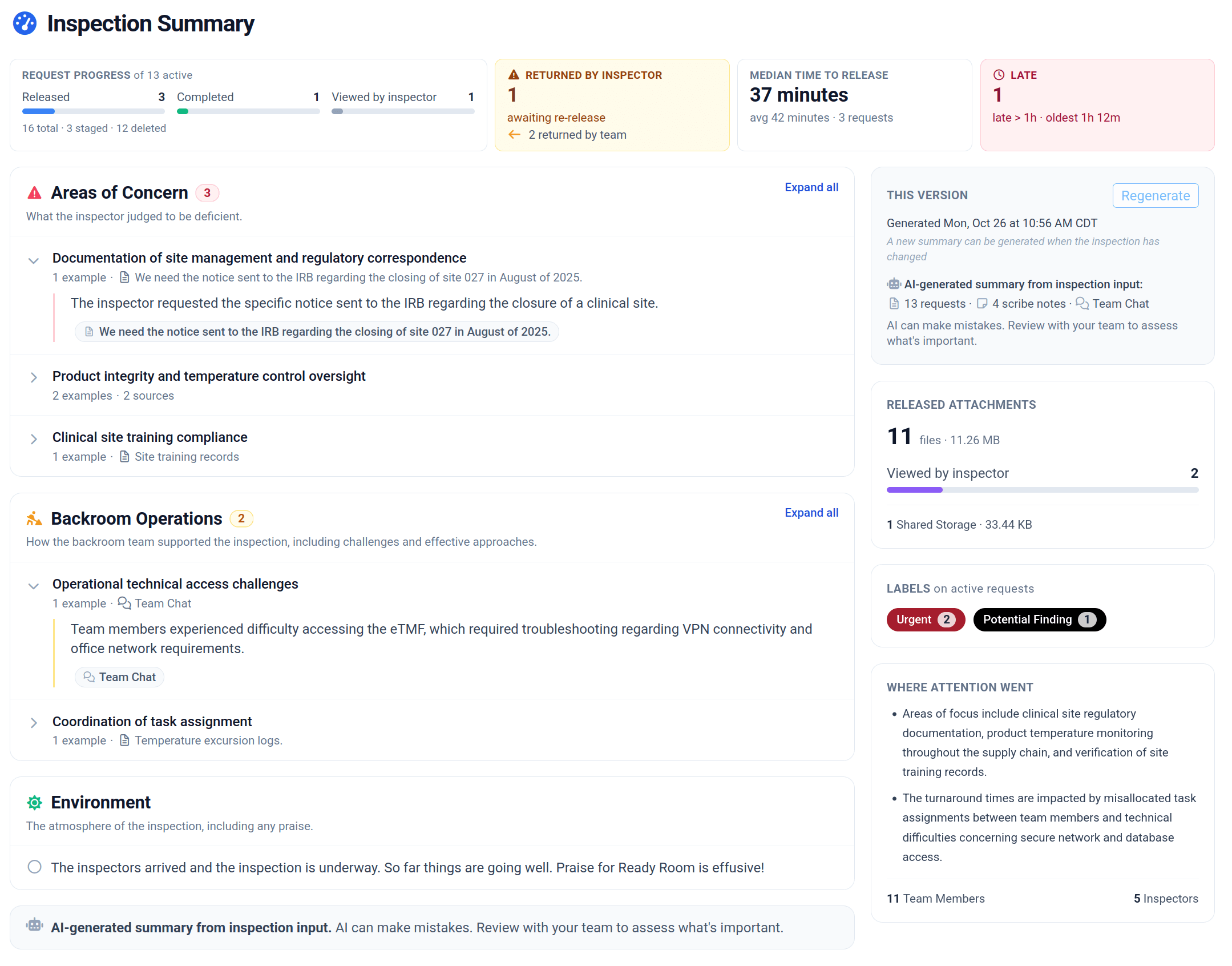
It’s a lot, but Ready Room has my back. I click the "gauge" icon and am instantly presented with a crisp and accurate summary of the inspection to date. There are clear metrics about requests: what’s in progress, what’s complete, what’s late, and what’s been returned; our average response time; attachments, labels, and more.
More importantly, the Ready Room AI has read through all of the scribe notes since the inspection began, as well as every comment on every request, even the team chat, and has compiled an easy-to-read synopsis of the state of the inspection.
Now I can easily see if any of the inspectors have concerns that I need the team to focus on. I can also see any backroom challenges (and successes!) that I may need to address. Indeed, I can take the temperature of the entire inspection. All without having to read back over five days of scribe notes from three different inspectors.
“How goes the war?”
We’re kicking butt!
I click print and send the summary upstairs.
AI Inspection Summaries
A few weeks ago we introduced AI-generated scribe note summaries. This week, we broaden the scope and introduce AI-generated inspection summaries. As with scribe notes, this feature is off by default and needs to be enabled by an inspection administrator. As before, this solution uses a Ready Room-managed instance of the Google Gemini 3.1 model. Google will not use any customer data, prompts, outputs, or agent interaction history to train or fine-tune any of its AI or machine learning models.
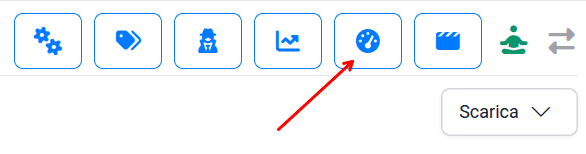
There are two new permissions related to accessing inspection summaries: view and generate (generate implies view). For new inspections, only inspection administrators will have permission to generate a summary, all others (except Restricted SMEs) will have view-only permissions. For existing inspections, no one will have either permission. An admin will need to enable these privileges for each desired role. With the feature enabled and permissions granted, users will see a new "gauge" button in the inspection button bar.
Summaries are created on demand, but no more than once every five minutes and then only if the inspection has changed in some meaningful way.
Generation entails gathering all existing scribe notes, request comments, and the public team chat (but not private chats) and asking the LLM to accurately synthesize them into a quick view of what matters most: key themes, potential concerns, overall team sentiment, and basic logistics. In addition, a number of important metrics regarding requests, labels, and attachments are provided. When possible, the AI will link back to the request, chat message, or scribe note that triggered an entry in the summary.
Improvements
We made a number of minor improvements increasing performance and reliability.
- Loading the initial inspection board is now four times faster.
- Storyboards and the inspector portal load twice as fast.
- We now use “chunked uploads” when uploading large files to Box, preventing upload failures if the connection is interrupted.
- When configuring Box, we now accept Box “shared” URLs as well as the URL from the browser’s location bar.
Bugs
- Sorting and filtering ignored users with no name, that is, users who have never registered or logged in.
- The table view did not show the inspector.
- We now clear the “already uploaded” state of cover sheets and the zip archive when the shared storage folder name changes.
- Idempotently retry emails if the transactional email provider closes the connection.
- When creating a new inspection, safely set the admin’s role if the inspection configuration is derived from another inspection where that role has been removed.
The following fixes were released last week:
- Correctly follow notification links to a request when already viewing a request.
- Files merged from a storyboard into a request could not be uploaded to inspector shared storage.
- File names with illegal URL characters could not be uploaded to SharePoint/Teams/OneDrive.