
There’s no “one big thing” this month, but there are several enhancements that we know you’ll appreciate.
Resumable Uploads
When you upload a document to Ready Room it goes from your browser straight to Google Cloud Storage. Prior to today, Ready Room used the “single-request upload” mechanism, which works great for smaller files and when the network is stable. However, if the network hiccupped in the middle of uploading a large document, users would be forced to upload it again. On overloaded networks this could lead to repeated upload failures.
With the latest release, we switched to using resumable uploads, which, as Google states, “lets you resume data transfer operations to Cloud Storage after a communication failure has interrupted the flow of data.” Basically, Ready Room now uploads files in chunks of 512KB. Should the network blip and an upload fail, we simply resend the most recent chunk and continue on. In short, barring complete network failure, Ready Room users should never see a failed upload again.
Incidentally, we’ve open sourced the client-side code needed to perform resumable uploads. You can find it here: https://github.com/synclinical/gcs-browser-upload
Performance (Again)
Last month we released some performance related changes that were all about memory management. This month, we have focused on database query performance.
The single most expensive query that Ready Room makes is retrieving all of the requests in an inspection (or storyboards in a program). Not only does this query need to join across several tables and sum up the number of attachments and comments, it also gets called a lot. It had a mean response time of 135ms and accounted for 16.3% of the total time Ready Room spent querying the database.
One Ready Room engineer took it upon himself to see if that could be improved. After rejiggering the query and fine-tuning some indexes, that same query now averages 19ms (95th=38ms) and accounts for just 4.4% of total query time! That’s a 600% improvement. ( We know this because we fast-tracked this into production two weeks ago.)
What’s Going On?
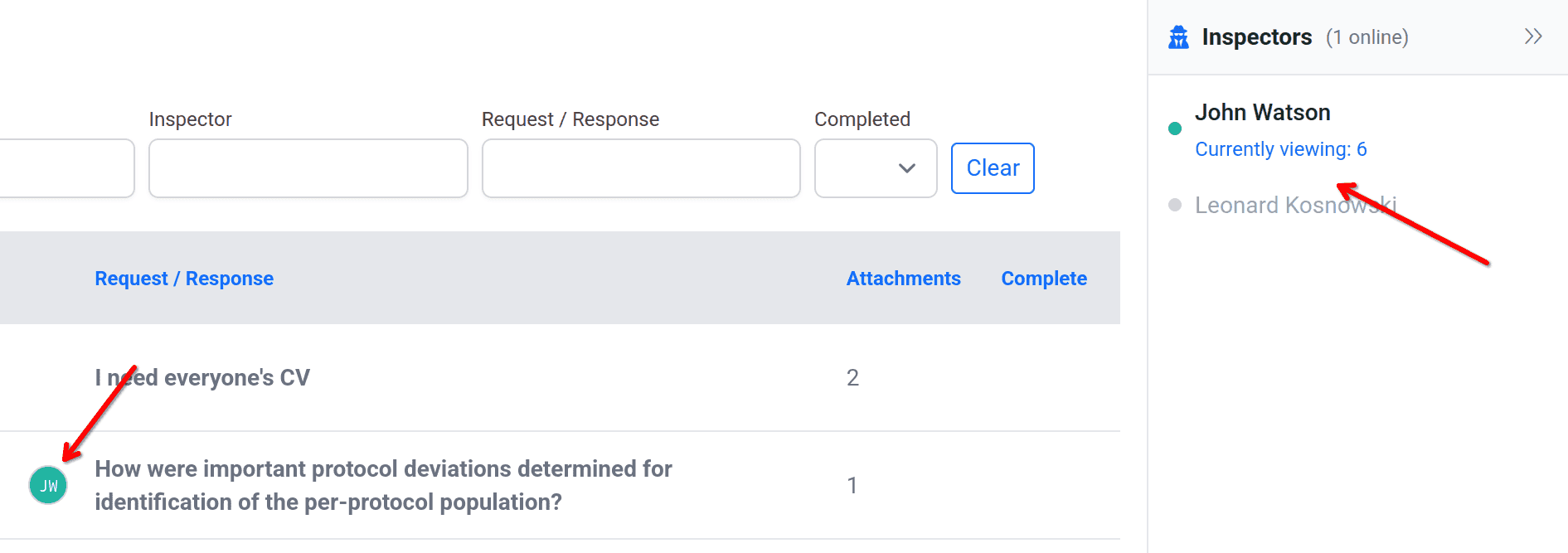
Multiple customers have asked to know which requests inspectors are looking at—in real time. Today, we are happy to provide just that.
Registering Users
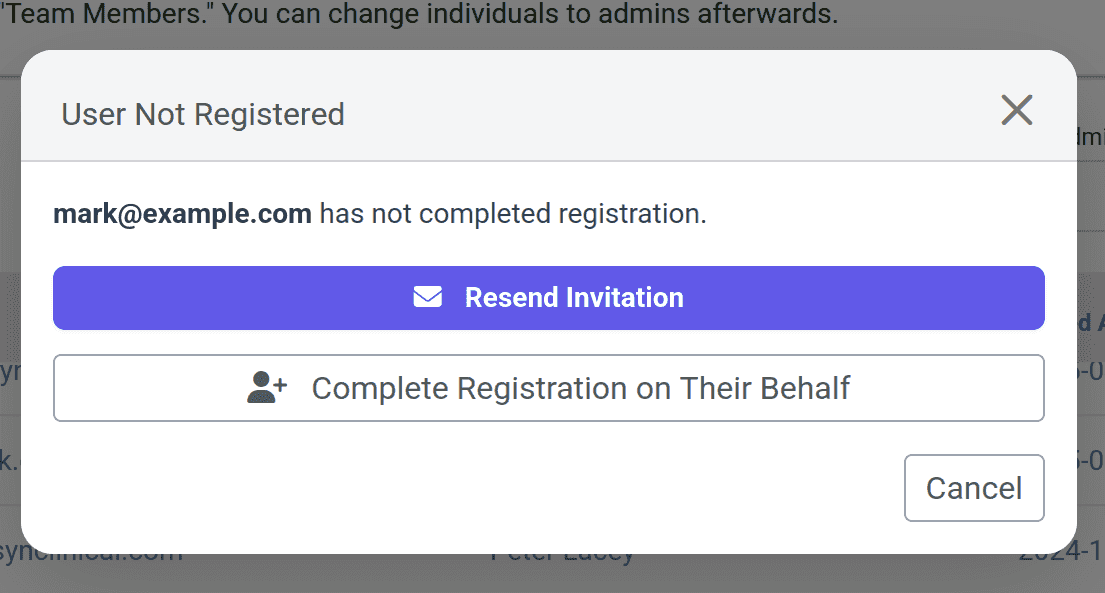
When an admin adds a remote user to Ready Room, that user must actively accept the request within a week. For a variety of reasons, that doesn't always happen. Until now, the only way to remedy this was to resend the Ready Room invitation until the user finally accepts it.
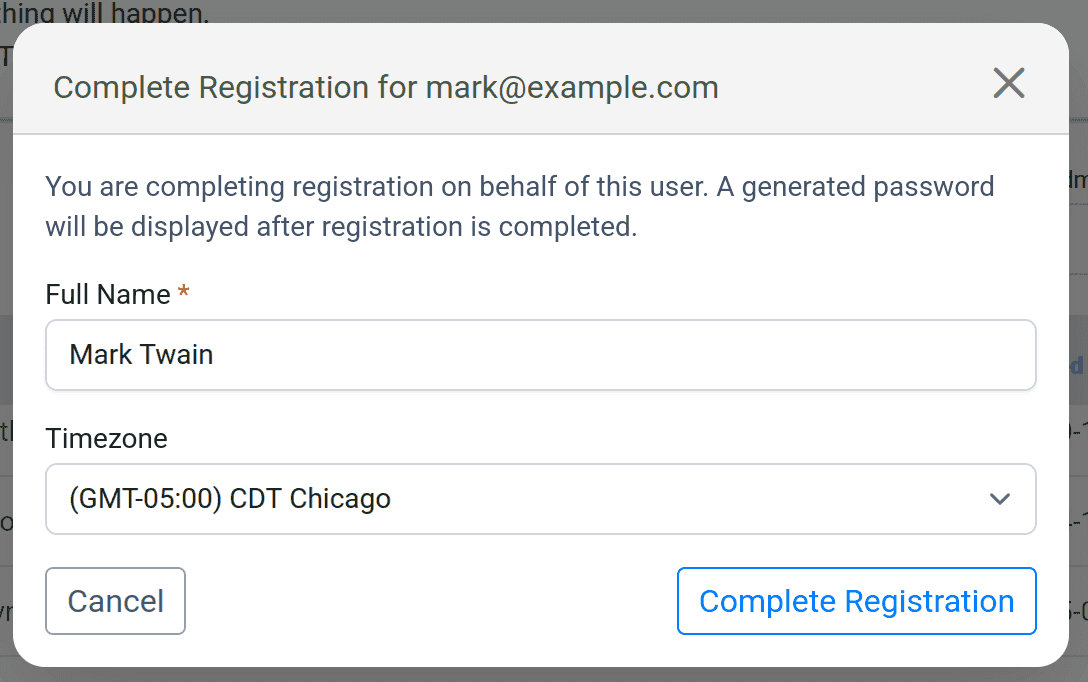
With the May release of Ready Room, we now allow administrators to complete the registration process on the remote user’s behalf. Now, when the admin clicks the “envelope” icon to resend the invitation, they are presented with the option of registering the user instead. Should they do so, a random password is generated that the user can use to login. Ready Room does not send the user their new password, the admin must do so via a separate channel—email is not secure.
 Minor Enhancements
New Email Format
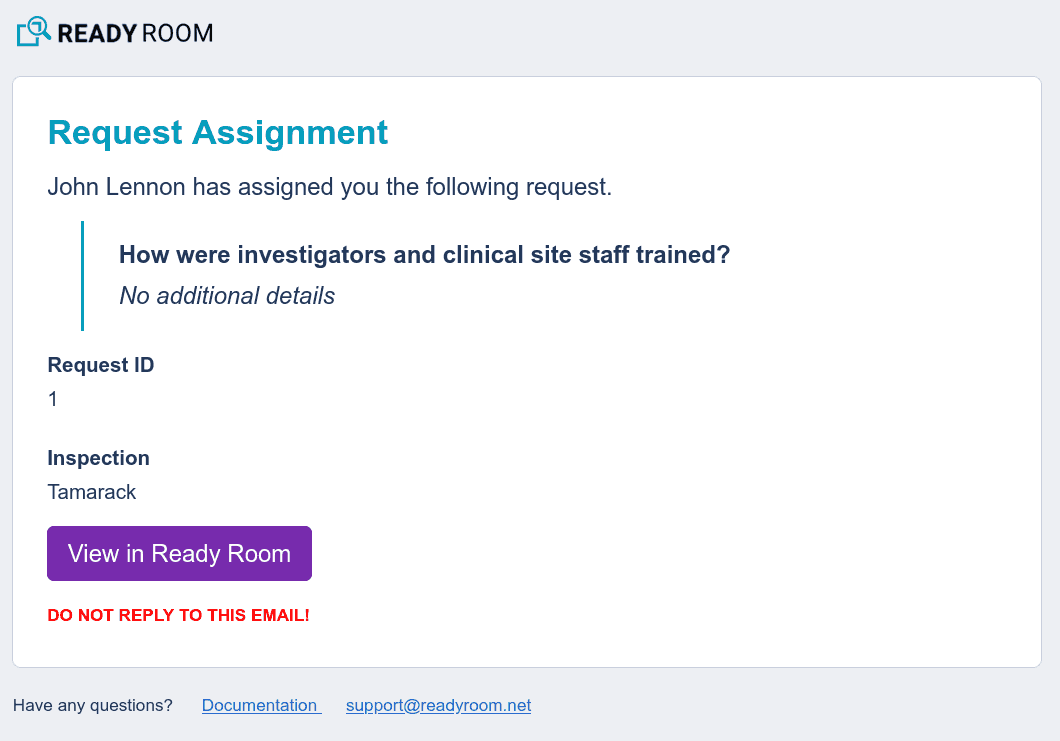
We have modernized Ready Room's email notifications to make them more clear, attractive, and actionable.
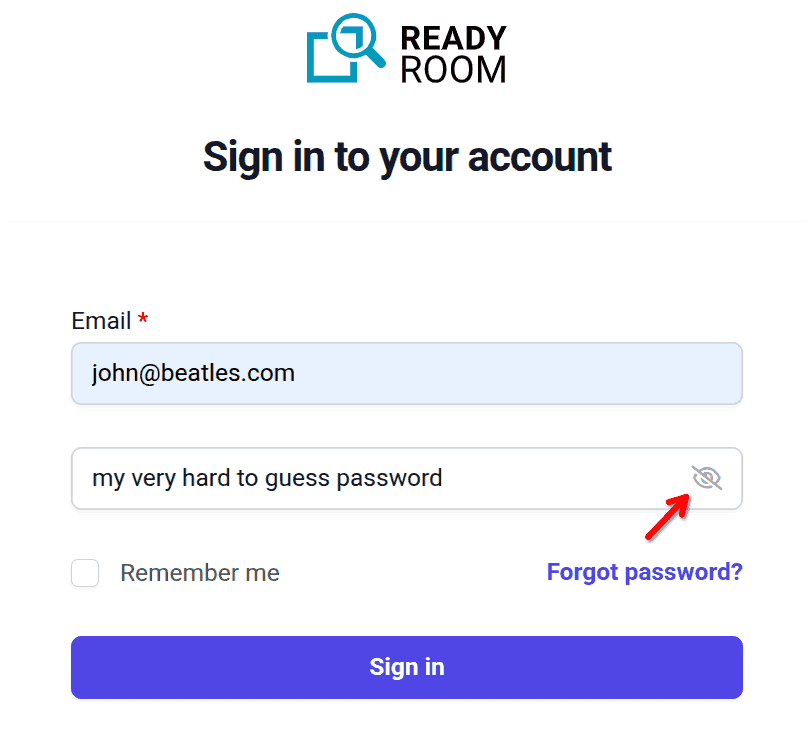
View Password
Users that login to Ready Room directly, that is, not via single sign-on, can now view the password they are entering by toggling an “eye” icon.
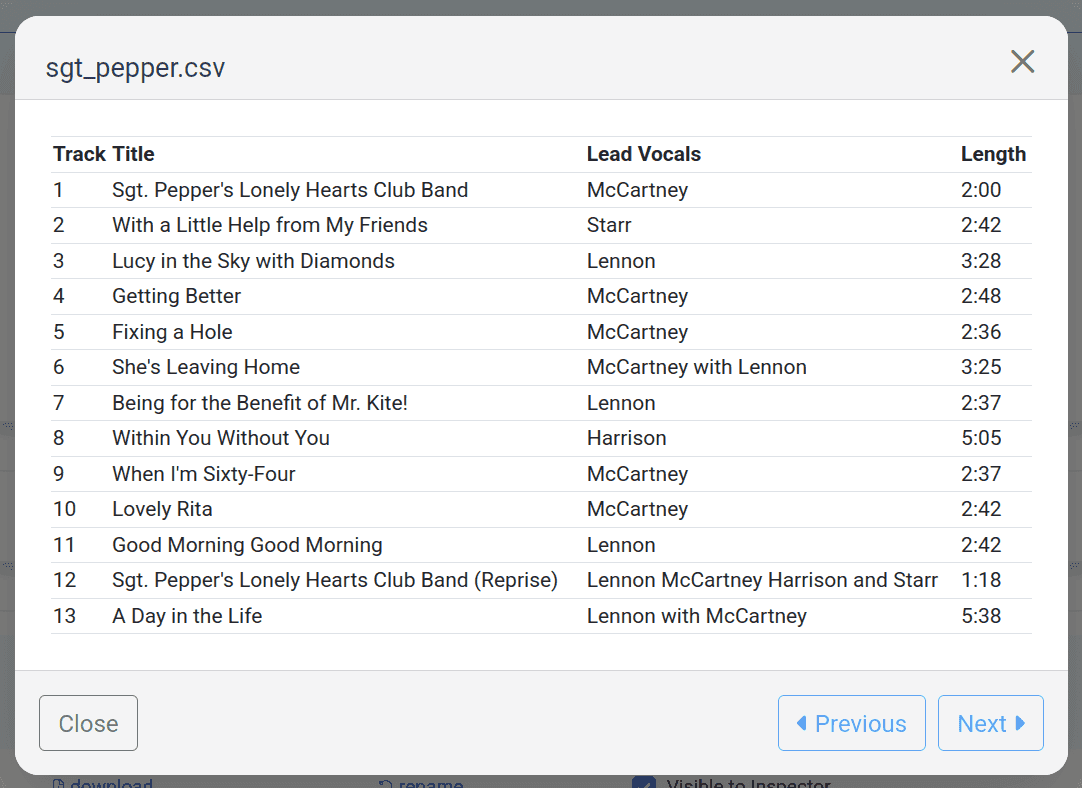
View CSV Files
Users can now view CSV files in place.
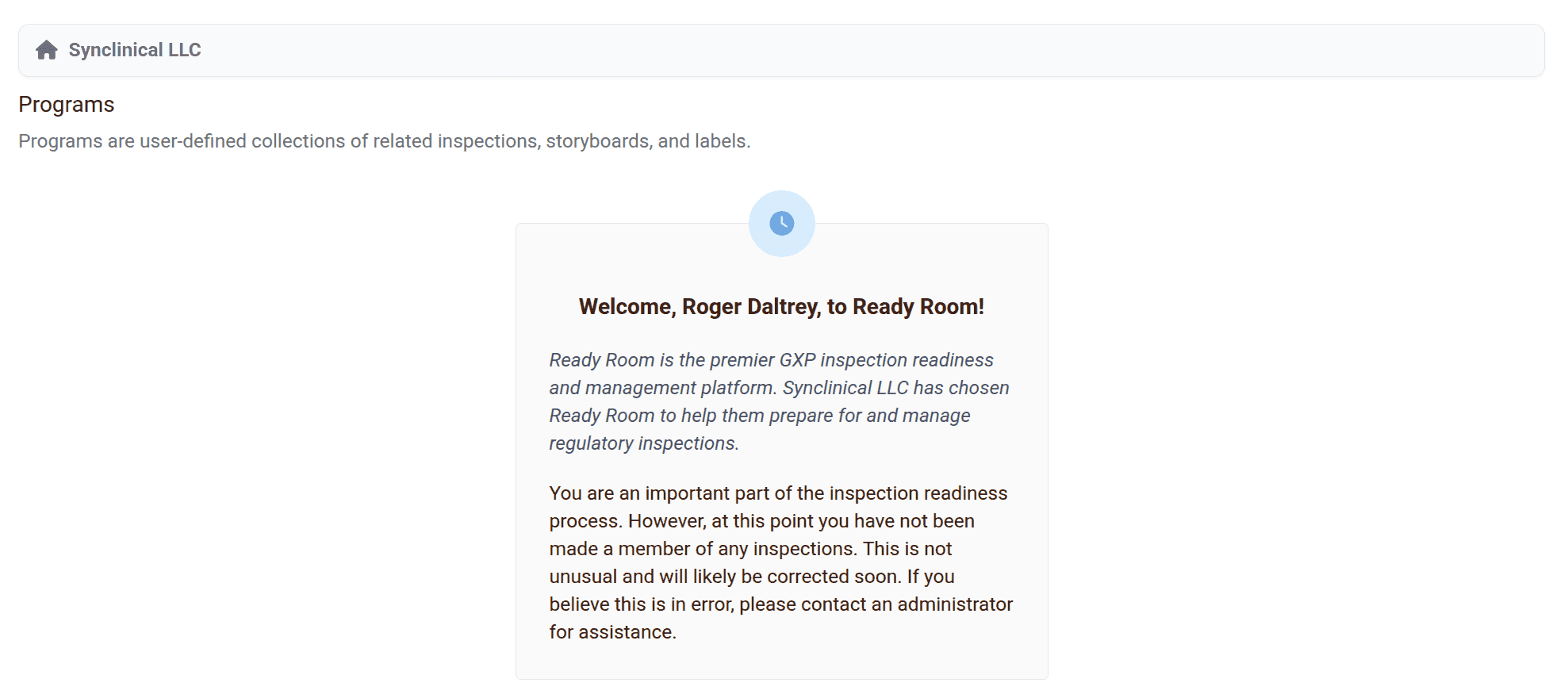
First Impressions
The home screen of newly added users who have not yet been assigned to an inspection now looks less like an error message.
Security
We have updated our web server to the latest release in order to address a recent CVE.
Bugs
Ready Room bugs tend not to live longer than a few minutes. The following issues have been discovered and fixed in production since our last release.
- Mobile view did not list unviewable files.
- Break emails into groups of 30 recipients or fewer. Mailjet, our transactional email server, won’t send emails with more than 50 recipients.
- Deleted requests were showing up on the “Mine” tab.